Download Driving Licence UP
Managing your driving licence in Uttar Pradesh (UP) is now easier than ever, thanks to the variety of online services available. Whether you're looking to download your UP driving licence, apply for a new one, renew an existing one, or simply check its status, the process is streamlined through platforms like Parivahan Sewa, mParivahan, and Sarathi Parivahan. This comprehensive guide will walk you through all the essential steps and services to manage your UP driving licence with ease.
Download UP Driving Licence Online
Downloading your UP driving licence is simple, and you can do it from the comfort of your home. Here's how you can access your driving licence online:
Step 1: Download from Parivahan Sewa Portal
- Visit the Parivahan Sewa Website: Go to the official portal at https://parivahan.gov.in.
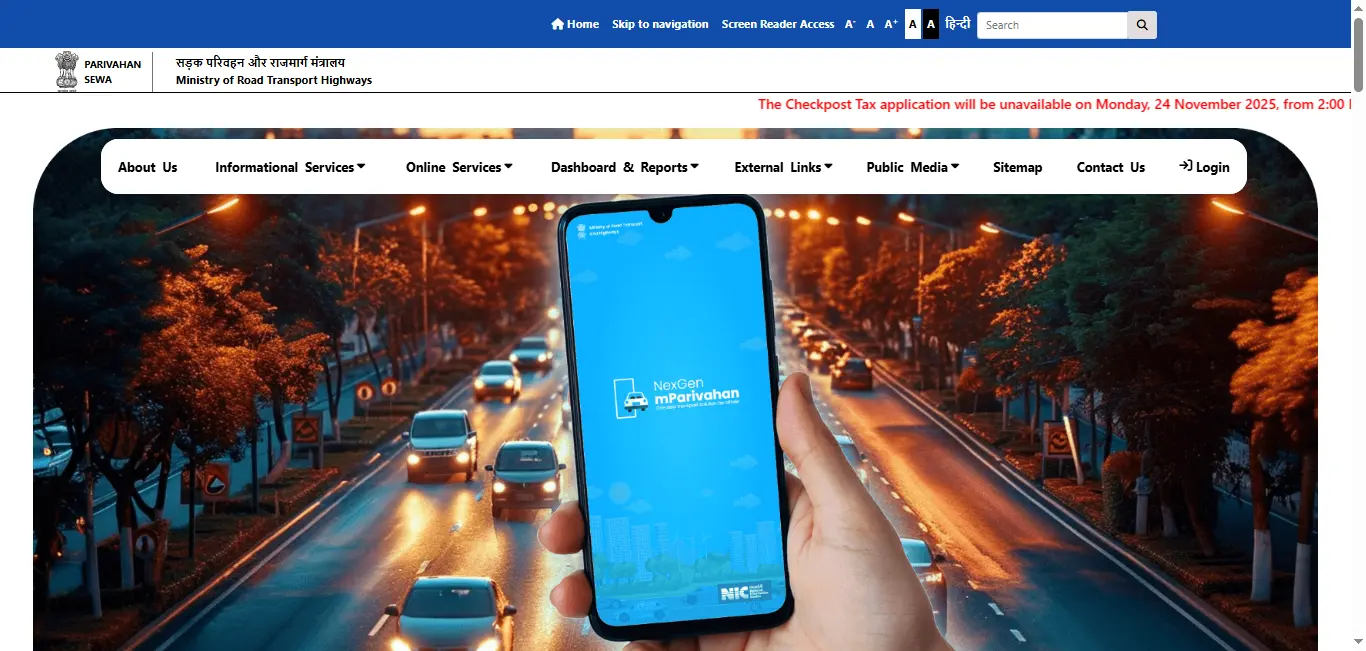
- Navigate to Driving Licence Services: Under Online Services, select Driving Licence Related Services.
- Select UP as Your State: From the list of states, choose Uttar Pradesh.
- Enter Your Details: Provide your Driving Licence Number or Date of Birth to retrieve your details.
- Download the Licence: After verification, you will be able to download your UP driving licence as a PDF.
Step 2: Download via mParivahan App
- Download the mParivahan App: Install the mParivahan app on your Android or iOS device.
- Select Uttar Pradesh: Open the app and select UP from the state list.
- Enter Your Details: Enter your Driving Licence Number or Date of Birth to retrieve your driving licence.
- Download the PDF: Once your details are verified, download your UP driving licence directly in PDF format.
Driving Licence Download By States
Why Should You Download Your UP Driving Licence?
Downloading your UP driving licence offers several advantages:
- Convenience: Access your driving licence anytime from your phone or computer.
- Backup: If your physical licence is lost or damaged, the downloaded version serves as a temporary backup.
- Official Use: A downloaded licence is useful for vehicle insurance, loans, and other official documentation.
How to Renew Your Driving Licence in UP
Renewing your driving licence in UP online is quick and easy. Here's how you can renew your licence using Parivahan Sewa or mParivahan:
- Visit the Parivahan Sewa Portal or mParivahan App: Go to the Parivahan Sewa portal or use the mParivahan app.
- Select the Renewal Service: Choose Driving Licence Renewal and enter your Driving Licence Number and other required details.
- Upload Documents: Upload necessary documents such as a medical certificate (for Heavy Motor Vehicles), address proof, and passport-sized photographs.
- Pay the Renewal Fee: Make the payment for your driving licence renewal online.
- Receive Your Renewed Licence: Once processed, your renewed UP driving licence will be sent to your address or made available for download.
Check your driving licence renewal status
Apply for a New Driving Licence in UP
If you're looking to apply for a new driving licence in UP, here's the step-by-step process:
- Visit the Parivahan Sewa or mParivahan Portal: Head to Parivahan Sewa or use the mParivahan app to start your application.
- Fill Out the Application Form: Complete the driving licence application form by providing your personal details.
- Submit the Required Documents: Upload documents such as Aadhaar card, address proof, passport-sized photographs, and age proof.
- Schedule Your Driving Test: Once you submit your application, schedule your driving test at your nearest RTO.
- Pay the Application Fee: Pay the driving licence fees online.
- Download Your Licence: After passing the test, you will receive your permanent driving licence. You can then download it from the Parivahan Sewa portal.
Know the complete process for driving licence apply
How to Apply for a Smart Driving Licence in UP
A smart driving licence in UP is a more secure and modern version of the traditional driving licence. Here's how you can apply for it:
- Visit the Parivahan Sewa Website or mParivahan App: Go to Parivahan Sewa or use the mParivahan app to apply.
- Submit the Application: Fill out the application form and select the smart driving licence option.
- Upload Required Documents: Submit your Aadhaar card, address proof, and other documents as required.
- Pay the Application Fee: Make the necessary payment for the smart card.
- Receive Your Smart Driving Licence: Once processed, your smart driving licence will be delivered to your registered address.
Know how to download the driving licence smart card
How to Check Driving Licence Application Status in UP
If you're waiting for your UP driving licence, you can easily check the status of your application:
- Visit Parivahan Sewa or mParivahan: Go to the Parivahan Sewa portal or the mParivahan app.
- Enter Your Application Number or Licence Number: You will need your driving licence number or application number.
- Check the Status: View the current status of your application and whether your licence has been processed.
Get driving licence application status complete detail here.
Driving Licence Fees in UP
Here's a quick overview of driving licence fees in UP for various types of licences:
- For Light Motor Vehicles (LMV): The application fee is typically lower for personal vehicles.
- For Heavy Motor Vehicles (HMV): The fees are higher due to the nature of the vehicle.
- For Duplicate Licences: There is a fee for applying for a duplicate driving licence if yours is lost or damaged.
The exact fee depends on the type of licence and its validity, so it's important to check the driving licence fees in UP on the official portal before applying.
Additional Services for UP Driving Licence
- Learner's Licence: Apply for your learner's licence and schedule your test at the nearest RTO.
- Fitness Certificate for HMV: Upload your fitness certificate if you're applying for a Heavy Motor Vehicle (HMV) licence.
- International Driving Permit (IDP): Apply for an International Driving Permit for driving abroad.
- Traffic Offenses: View and pay fines for any traffic offenses committed using online payment services.
- Vehicle Registration and RC: Manage your vehicle registration and RC (Registration Certificate).
Conclusion
Downloading, renewing, or managing your driving licence in Uttar Pradesh (UP) is simple and efficient with platforms like Parivahan Sewa, mParivahan, and Sarathi Parivahan. Whether you need to apply for a new driving licence, renew your current one, or download a copy, these platforms offer all the necessary services to make the process smooth. With easy access to online services, you can now manage all your driving-related needs from the comfort of your home.
Other Driving licence-related services
Apply
Learning driving licence
DL Status
Renewal
Duplicate
Permanent driving licence
heavy driving licence
lmv driving licence
international driving licence
mcwg in driving licence
change address on driving licence
Frequently Asked Questions
1.How to apply for a driving licence in UP?
To apply for a driving licence in Uttar Pradesh (UP), visit the official Parivahan Sewa or UP RTO website, complete the driving licence application form, submit the required documents, and schedule a driving test at your local RTO.
2.How do I get a duplicate driving licence in UP?
If your driving licence is lost or damaged, you can apply for a duplicate online through Parivahan Sewa or UP RTO. Submit necessary documents, including an FIR (if required), and pay the required fee to receive your duplicate driving licence.
3.How to renew a driving licence in UP?
To renew your driving licence in UP, visit the Parivahan Sewa website or use the mParivahan app. Submit the required documents, pay the renewal fee, and your renewed driving licence will be delivered to your address.
4.How to download my driving licence online in UP?
You can easily download your UP driving licence online via Parivahan Sewa or the UP RTO portal. Enter your driving licence number or date of birth to get the PDF copy of your driving licence.
5.How to fill up the driving licence application form in UP?
To fill out the driving licence application form in UP, visit the Parivahan Sewa website or UP RTO portal, select the appropriate form (Learner's Licence or Permanent Licence), and fill in your personal details, upload required documents, and submit the form for processing.