Duplicate driving licence
Losing your driving licence can be a stressful experience, but fortunately, getting a duplicate driving licence is simple and straightforward. Whether you've lost your licence, had it stolen, or simply need a replacement for a damaged one, this guide will walk you through everything you need to know about applying for a duplicate driving licence in India, including the duplicate driving licence fees, required documents, and the duplicate driving licence application process. Also know about driving licence download online.
Losing your driving licence can be a stressful experience, but fortunately, getting a duplicate driving licence is simple and straightforward. Whether you've lost your licence, had it stolen, or simply need a replacement for a damaged one, this guide will walk you through everything you need to know about applying for a duplicate driving licence in India, including the duplicate driving licence fees, required documents, and the duplicate driving licence application process. Also know about driving licence download online.
In India, the Parivahan Sewa and mParivahan app provide online platforms for citizens to apply for a duplicate driving licence, track their application status, and access various driving-related services. This page will cover the following essential points:
- How to apply for a duplicate driving licence online
- Required documents
- Duplicate driving licence fees
- Parivahan and mParivahan services
- How to check the duplicate driving licence status
Let's dive into the step-by-step process for obtaining your duplicate driving licence.
What is a Duplicate Driving Licence?
A duplicate driving licence is a replacement for your original driving licence if it has been lost, stolen, or damaged beyond use. The process to apply for a duplicate is easy, and it can be done both online and offline, through Parivahan Sewa or the mParivahan app. A duplicate licence holds the same legal validity as your original one and can be used for all official purposes.
When Is a Duplicate Driving Licence Required
A duplicate driving licence is required if the original licence is:
- Lost
- Stolen
- Damaged or unreadable
Using a duplicate licence helps ensure compliance with traffic laws and avoids penalties during verification checks.
How to Apply for a Duplicate Driving Licence
Applying for a duplicate driving licence is a simple and quick process that can be done either online or offline through the Parivahan Sewa portal or by visiting the Regional Transport Office (RTO). Here are the detailed steps to help you through the process:
Step 1: Visit the Parivahan Sewa Portal
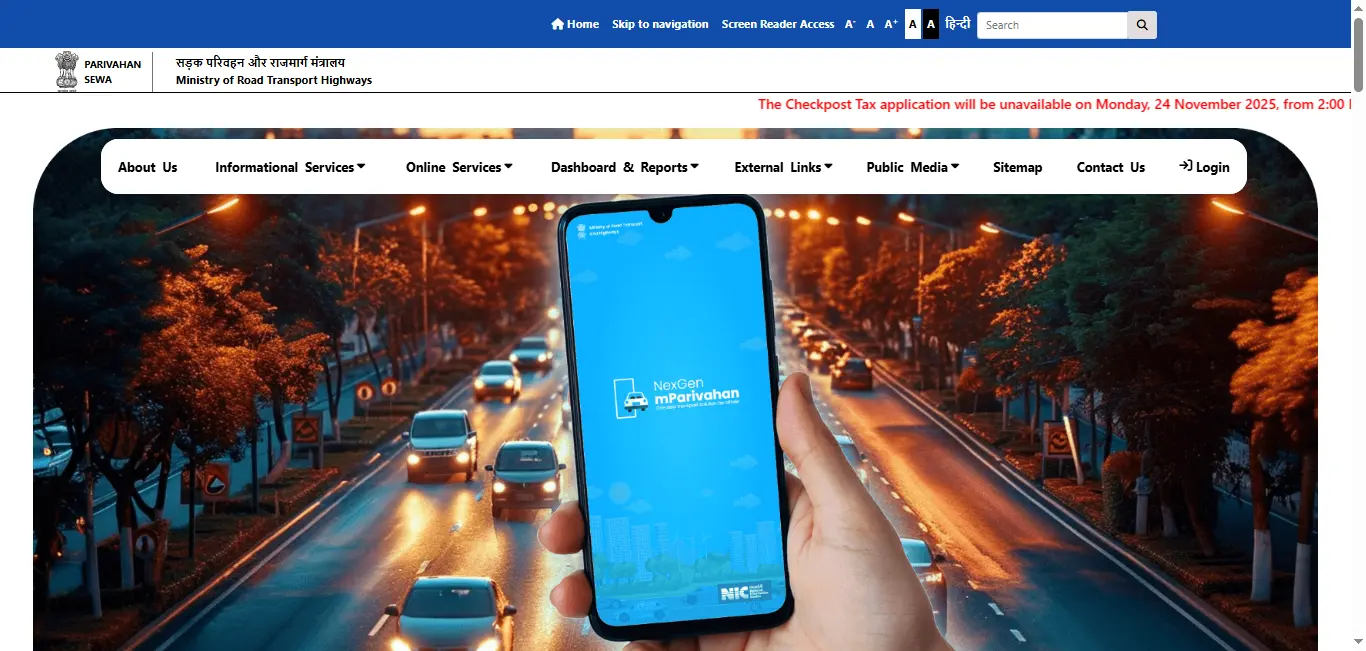
- Go to the official Parivahan website: Parivahan Sewa portal.
- Select the "Driving Licence" section: From the main page, click on "Online Services" and choose "Driving Licence Related Services".
- Choose your state: Select the state where your original driving licence was issued.
Step 2: Select the Duplicate Licence Option
- Click on "Apply for Duplicate Driving Licence".
- Select the appropriate option and proceed.
Step 3: Provide Your Details
You will need to enter the following information:
- Driving Licence Number or Application Number
- Date of Birth
- RTO details (if required)
Step 4: Upload the Necessary Documents
- In some cases, you will be asked to upload the FIR (First Information Report) if the licence was stolen.
- Other documents may include a passport-size photograph and address proof.
Step 5: Pay the Fees
After filling out the necessary details and uploading documents, you will be required to pay the duplicate driving licence fees online via credit/debit cards, UPI, or net banking.
Step 6: Download and Track Your Duplicate Licence
Once your application is processed and approved, you can download your duplicate driving licence from the Parivahan portal or mParivahan app.
How to Apply for Duplicate Driving Licence Online Using mParivahan
If you prefer using a mobile app, you can easily apply for a duplicate driving licence via the mParivahan app. The process is almost identical to the Parivahan Sewa portal:
- Download the mParivahan app from the Google Play Storeor the Apple App Store.
- Sign in or register with your details.
- Choose "Driving Licence Services" and select "Duplicate Licence".
- Provide the required information, upload documents, and pay the fees.
- After successful verification, you can download the duplicate licence directly to your phone.
Documents Required for Duplicate Driving Licence
When applying for a duplicate driving licence, you will need to submit a few essential documents:
- FIR or Police Report (in case the licence is lost or stolen).
- Proof of Identity (such as Aadhaar Card, Passport, Voter ID).
- Proof of Address (such as utility bills, rental agreements, etc.).
- Passport-sized photograph.
- Driving Licence Number (if known).
In some cases, depending on the state's rules, you may not need to submit all these documents.
What to Do If Driving Licence Is Lost or Stolen
If a driving licence is lost or stolen:
- Filing an FIR may be required in some states
- Keep a copy of the FIR for reference
- Apply for a duplicate licence as soon as possible
State-wise requirements may differ, so users should verify details on the official portal.
Duplicate Driving Licence Fees
The duplicate driving licence fees can vary depending on the state, but typically range from ₹200 to ₹500. The exact fee will be displayed on the Parivahan or mParivahan portal during the application process.
How to Track Your Duplicate Driving Licence Status
After applying for a duplicate driving licence, you can track your application status online via the Parivahan Sewa portal or the mParivahan app. Here's how:
- Visit the Parivahan Sewa portal or open the mParivahan app.
- Enter your application number or driving licence number.
- Click on the "Check Status" option to view the progress of your application.
This will show you whether your duplicate driving licence is under process, approved, or ready for download.
How to Download Your Duplicate Driving Licence
Once your application is processed, you can download your duplicate driving licence in PDF format. This digital version of your driving licence is legally valid and can be used in place of your physical licence. Here's how to download it:
- Go to the parivahan website or mParivahan app.
- Choose the option to download your duplicate driving licence.
- Save the PDF file and print it if necessary.
Benefits of Applying for a Duplicate Driving Licence Online
- Convenience: No need to visit the RTO. Complete the process from the comfort of your home.
- Time-Saving: The online application process is quick and easy.
- E-Driving Licence: You can download a digital copy of your licence immediately after approval.
- Secure: The online system is secure and ensures the protection of your personal data.
Conclusion
If your driving licence is lost, damaged, or stolen, don't worry! The process for obtaining a duplicate driving licence is simple and efficient with the help of Parivahan Sewa and the mParivahan app. Just follow the steps outlined above, submit the required documents, and pay the fees online. Once processed, you'll receive a valid duplicate driving licence that you can use for all your driving needs. Whether you're applying through Parivahan or mParivahan, getting a duplicate driving licence online is a hassle-free process. Make sure to track your application status regularly and download the digital copy as soon as it is available.
Driving Licence Related Services On Parivahan Sewa
Frequently Asked Questions
1.How long does it take to get a duplicate driving licence?
The processing time typically takes 7 to 15 days, depending on the state. You can check the status and track your application online.
2.What if I have lost my driving licence?
If your licence is lost, you need to file an FIR and then apply for a duplicate driving licence through the Parivahan portal or mParivahan app.
3.Can I apply for a duplicate driving licence if I don't know my licence number?
Yes, you can apply by providing your date of birth and other identification details.
4.Can I get a duplicate driving licence for a learner's permit?
If your learner's licence is lost, you can follow the same procedure as applying for a duplicate driving licence to get a replacement.