Change address on driving licence
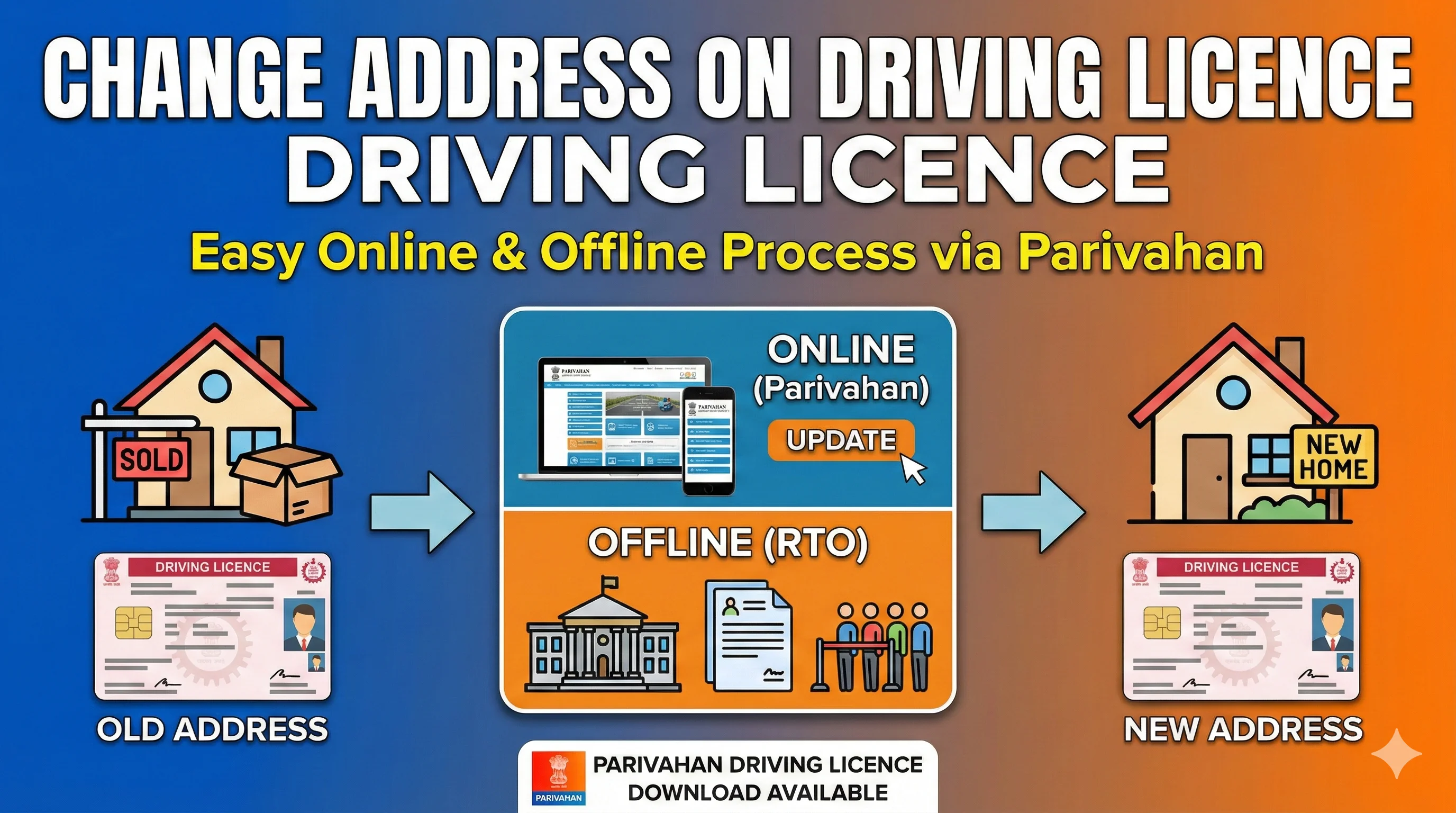
Changing the address on your driving licence is an essential task if you've recently moved to a new location. Fortunately, with the rise of online services, this process has become quick, easy, and convenient. Whether you want to update your address online or through offline methods, this guide covers all the steps you need to know. We'll also address frequently asked questions and common issues users face when changing their address on their driving licence. Know more about parivahan driving licence download.
Changing the address on your driving licence is an essential task if you've recently moved to a new location. Fortunately, with the rise of online services, this process has become quick, easy, and convenient. Whether you want to update your address online or through offline methods, this guide covers all the steps you need to know. We'll also address frequently asked questions and common issues users face when changing their address on their driving licence. Know more about parivahan driving licence download.
What is Address Change on Driving Licence?
Changing the address on your driving licence means updating the residential or mailing address that is registered with the RTO (Regional Transport Office). This process is essential whenever you move to a new address so that your official documents reflect your current location.
The address on your driving licence is used for several purposes, including receiving important notifications from the RTO or other authorities, which is why it's important to keep it updated.
Why Change the Address on Your Driving Licence?
There are several reasons why you may need to update your driving licence address:
- Relocation: If you've moved to a new house, city, or state, your address on the driving licence needs to be updated.
- Change of Name or Family Details: In case of name changes due to marriage or other reasons, you may also need to update your address.
- Legal Requirement: Keeping your address updated ensures that your driving licence is legally valid and reflects your current residence, which is crucial for traffic police, government agencies, and legal purposes.
When Should You Update Your Address
You should update your driving licence address whenever you move to a new residence, even within the same city.
Keeping address details updated helps avoid delivery issues, verification problems, and legal complications during traffic checks.
How to Change Address on Driving Licence Online?
Thanks to the Parivahan portal and mParivahan app, changing the address on your driving licence online is a simple and hassle-free process. Here's how to do it:
Steps to Change Address on Driving Licence Online:
Visit the Parivahan Portal:
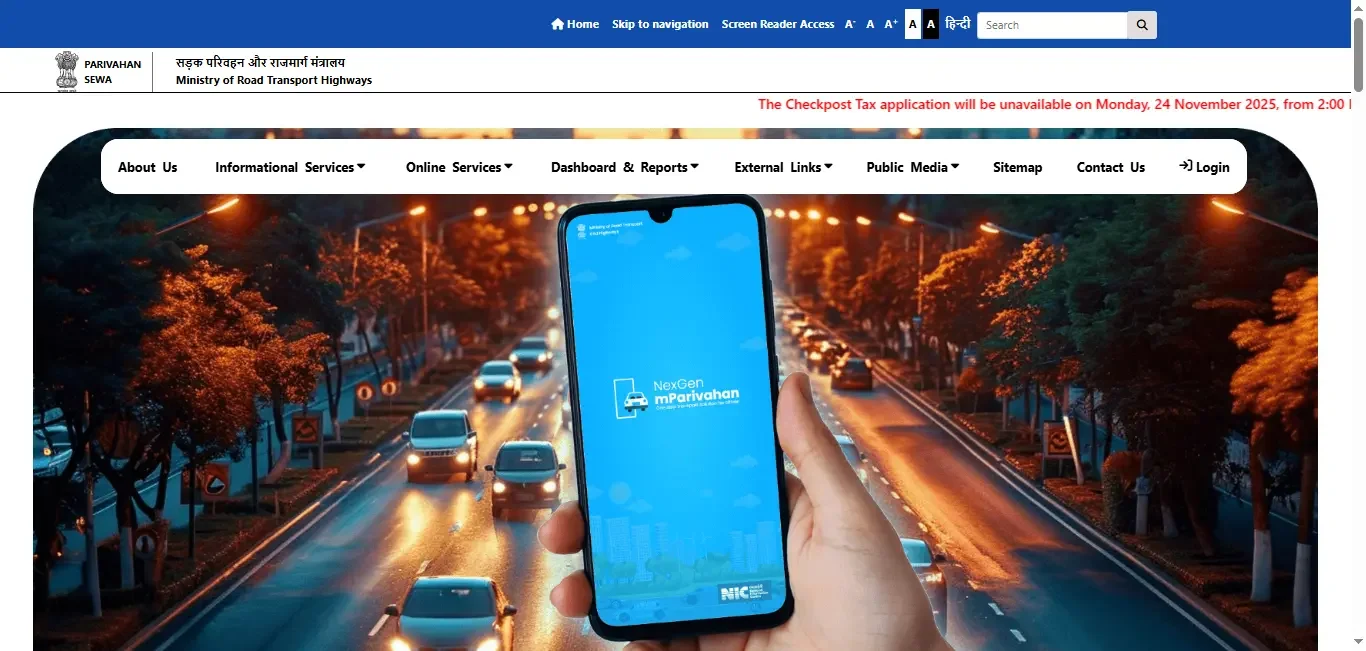
Go to the official Parivahan Sewa website (Parivahan.gov.in) or use the mParivahan app.
Click on Online Services:
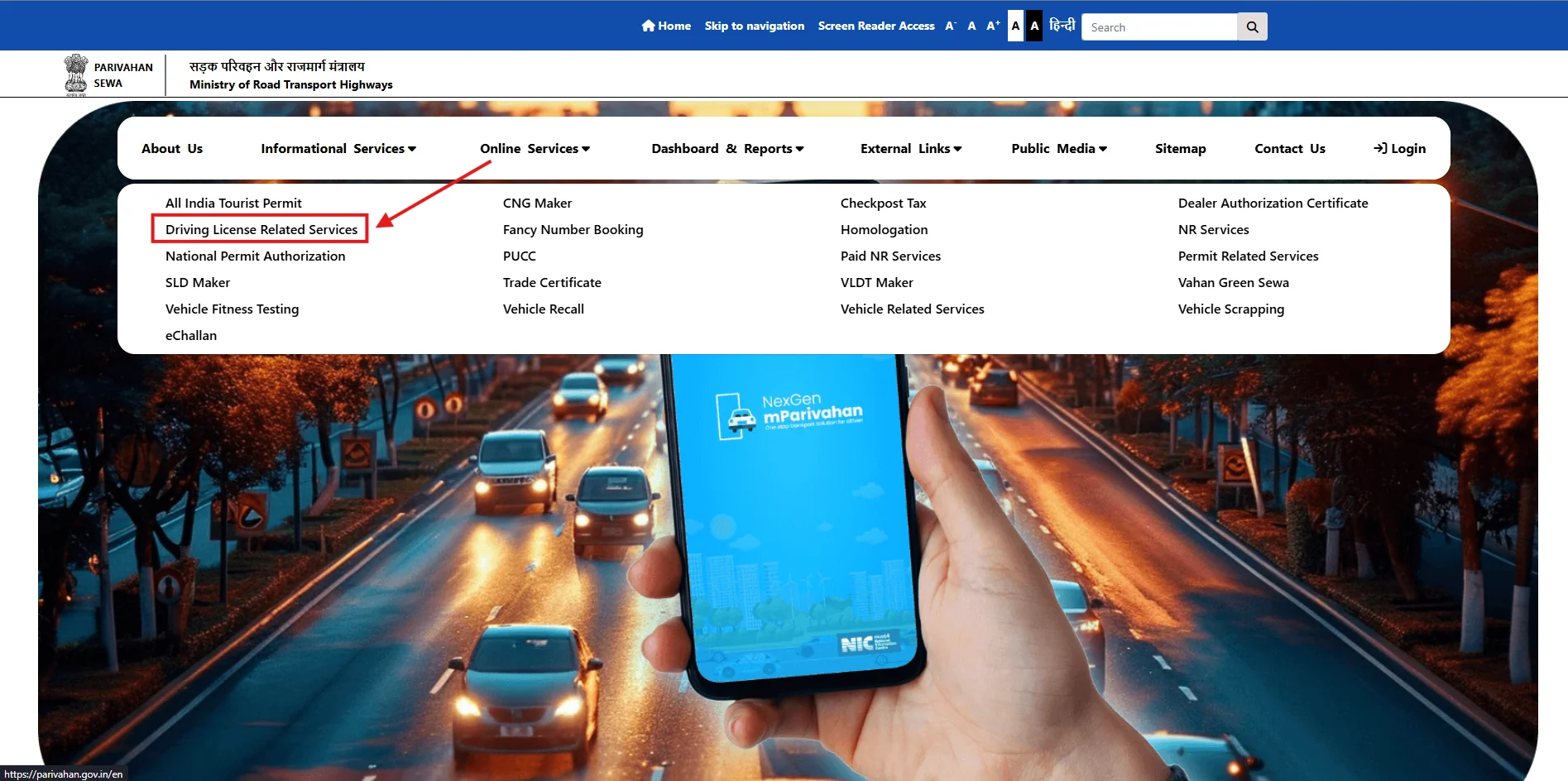
On the homepage, click on "Online Services" and then select "Driving Licence Related Services" from the menu.
Choose Your State:
Select your state from the drop-down list. This is important because the requirements and processes may differ by state.
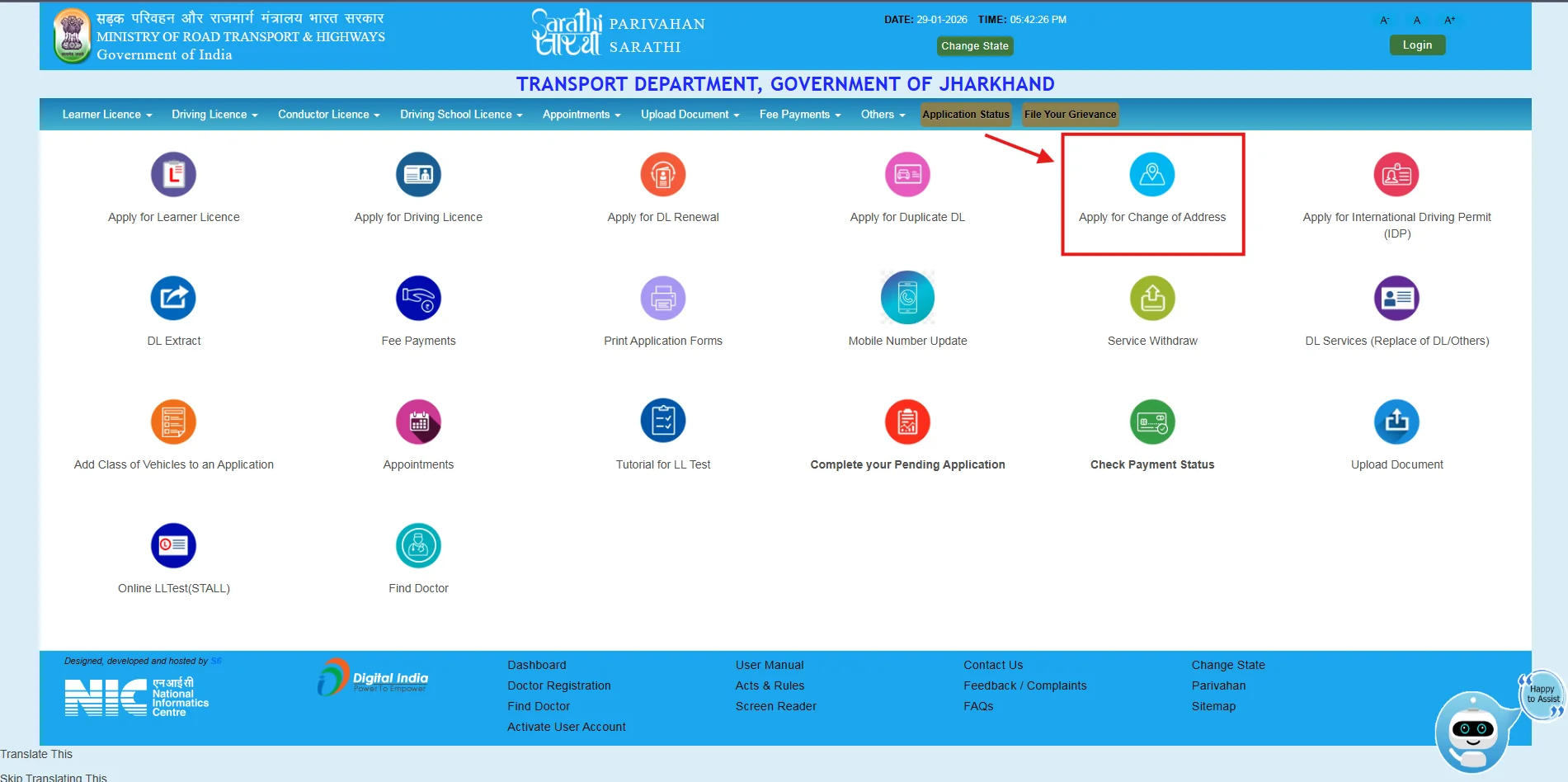
Choose "Apply for Change of Address":
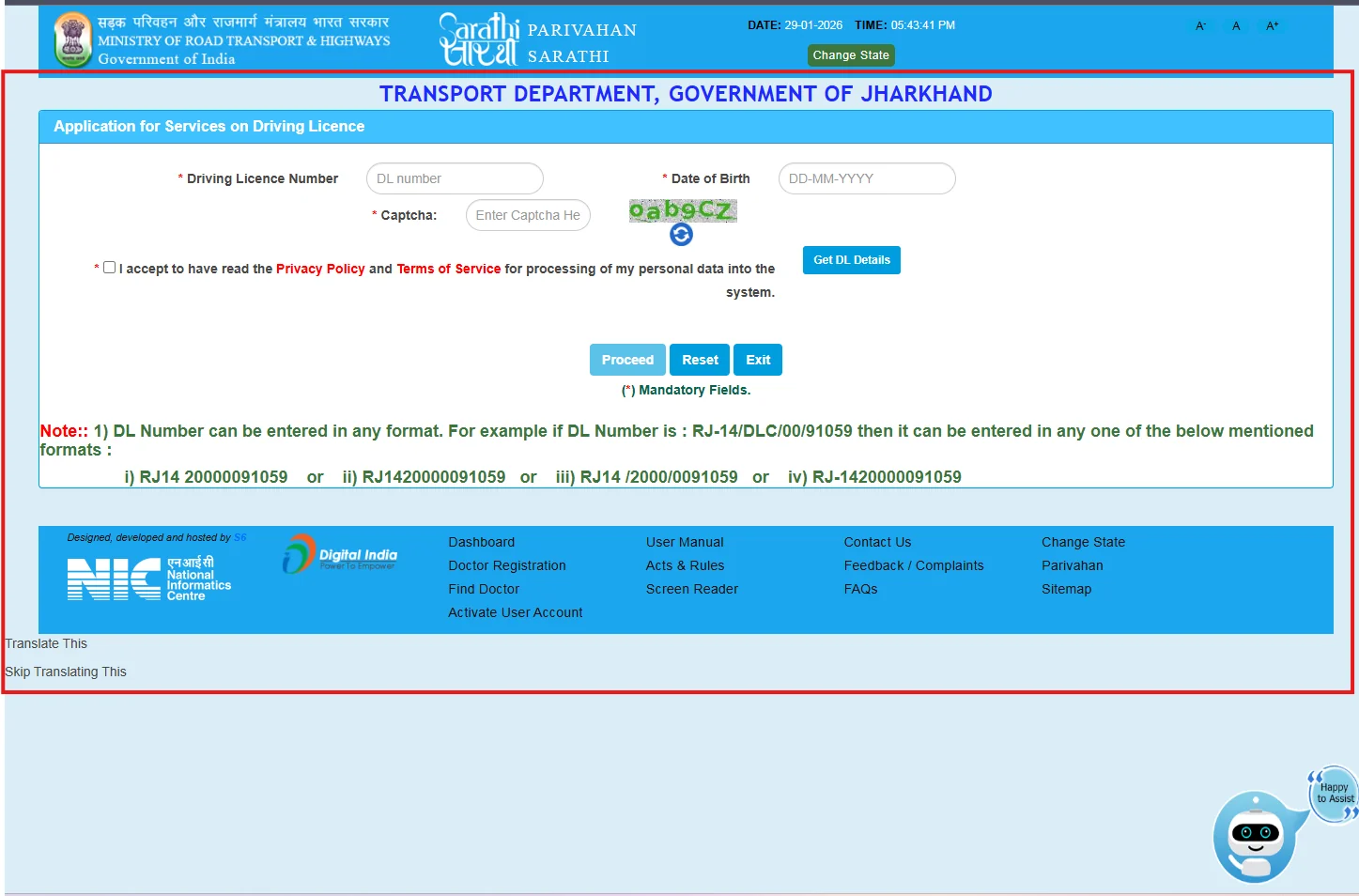
Enter Required Details:
You will be asked to enter your driving licence number, date of birth, and other personal details.
Upload Supporting Documents:
Upload documents such as proof of the new address (e.g., utility bill, rental agreement, etc.).
Pay the Fee:
Pay the necessary fee for address change via online payment methods like Net Banking, Debit/Credit Cards, or UPI.
Submit the Request:
After verification, submit the request, and the updated address will be reflected on your driving licence.
Download the Updated Licence:
Once the address is updated, you can download the updated driving licence PDF or request a new PVC card.
Step-by-Step Process to Change Address on Driving Licence
For those who prefer offline methods, here's how you can change the address on your driving licence in person:
- Visit the Local RTO: Go to the RTO office where your licence was issued.
- Submit the Application Form: Fill out the address change application form available at the RTO or download it from the Parivahan website.
- Provide Proof of Address: Submit the required documents such as your Aadhaar card, electricity bill, or rent agreement to verify the new address.
- Pay the Fees: Pay the fees for the address update. The fee may vary depending on your state or the RTO.
- Collect the Updated Licence: Once processed, you will be issued a new driving licence with your updated address.
Documents Required to Change Address on Driving Licence
To successfully update the address on your driving licence, you will need to provide the following documents:
- Proof of Identity: Aadhaar card, Voter ID, Passport, or PAN card.
- Proof of Address: Utility bills (electricity, gas, water), bank statement, ration card, or rent agreement.
- Passport-sized Photographs (if required).
- Driving Licence: Original driving licence (if updating offline).
- Application Form: Filled form for address change (available at the RTO or on Parivahan portal).
Tips for Address Proof Acceptance
- Address proof should be recent and clearly readable
- The name on the address proof should match the driving licence
- Temporary or handwritten documents may be rejected
Always verify acceptable documents on the official portal before submission.
Can You Renew and Change Address on Driving Licence at the Same Time?
Yes, you can renew and change the address on your driving licence simultaneously. During the renewal process, you'll have an option to update your address as well. This can be done either through the Parivahan portal, mParivahan app, or at your local RTO.
How to Track Status After Changing Address on Driving Licence
Once you've submitted your request for an address change on your driving licence, you can track the status online through:
- Parivahan Portal: Go to Parivahan Sewa and enter your driving licence number or application number.
- mParivahan App: Check the status of your address change request using the mParivahan app.
Common Issues and Solutions When Changing Address on Driving Licence
| Issue | Solution |
|---|---|
| Incorrect details submitted | Double-check your information and re-upload the correct documents. |
| Application not processed yet | Wait for a few days and check your status on the Parivahan website. |
| Address proof not accepted | Make sure your proof of address is valid and matches the required documents list. |
| Unable to pay the fee | Ensure your payment method is valid and check for network issues. |
| No confirmation email received | Verify your email address and check the spam folder. |
Conclusion
Changing the address on your driving licence is now simpler than ever, thanks to the availability of online services through the Parivahan Sewa portal and mParivahan app. By following the steps outlined above, you can easily update your driving licence details without the hassle of visiting the RTO in person. Stay updated, and ensure that your official documents reflect your current address to avoid any legal complications in the future.
Driving Licence Related Services On Parivahan Sewa
Frequently Asked Questions
1.How to change address on driving licence?
To change the address on your driving licence, visit the Parivahan Sewa website or use the mParivahan app. Enter your driving licence number, upload proof of address, pay the fee, and submit the request. You can also do this offline at your local RTO.
2.Can I change my address on my driving licence online?
Yes, you can easily change your address online through the Parivahan Sewa portal or the mParivahan app by entering your licence details and uploading the necessary documents.
3.How to change address and name on driving licence?
You can change both your address and name on your driving licence by visiting the Parivahan portal or your local RTO. You'll need to provide valid documentation for both changes.
4.How to change name and address on driving licence?
The process to update both your name and address is similar. Use the Parivahan portal to update both fields, and provide the required documents such as proof of identity and address.
5.Can I change address on driving licence online?
Yes, address changes can be done online through the Parivahan Sewa website or mParivahan app by submitting your licence details and proof of address.