Download Driving Licence HP
If you are a resident of Himachal Pradesh (HP) and need assistance with downloading your driving licence or managing your driving licence online, this guide provides step-by-step instructions. Learn how to download your driving licencein HP, apply for a new licence, renew your existing one, and check the status of your driving licence—all using official resources like the HP Transport Department website and Parivahan Sewa Portal.
How to Download Your Driving Licence in Himachal Pradesh (HP)
Are you looking for the process to download your driving licence in Himachal Pradesh? Follow these steps to easily access your driving licence online.
Steps to Download Your Driving Licence in HP:
- Visit the Parivahan Sewa Portal or HP Transport Website: The officialParivahan Sewa Portal or HP Transport Department website is where you can access the driving licence download option.
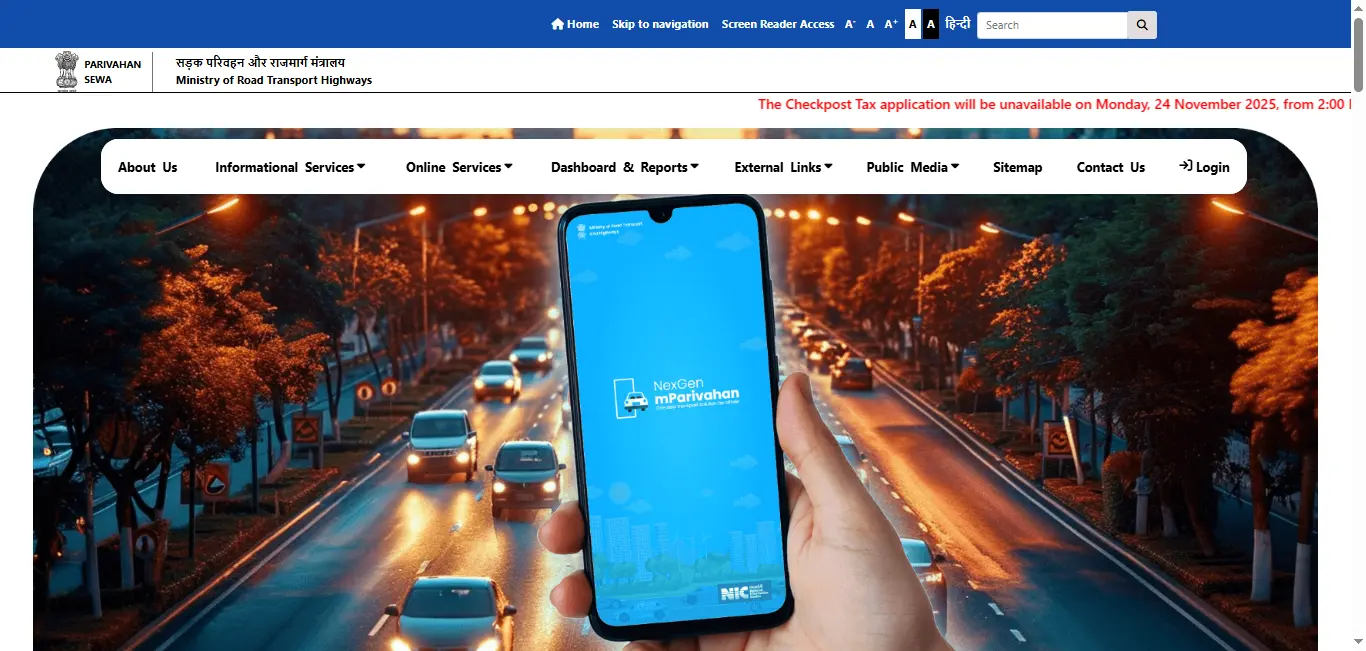
- Choose "Driving Licence Services": Once you are on the website, navigate to Driving Licence Services and select the "Download Driving Licence" option.
- Enter Your Driving Licence Details: You will need to provide either your driving licence number or your date of birth for verification.
- Verify Your Details: After entering the required details, the system will verify your information to confirm you are the rightful holder of the licence.
- Download Your Driving Licence PDF: Once the verification is successful, you will be able to download your driving licence in PDF format. You can also print it for your records.
How to Apply for a New Driving Licence in HP
If you are applying for a new driving licence in Himachal Pradesh, you can do so online through the HP Transport Department website. Here's how:
Step-by-Step Process to Apply for a New Driving Licence in HP:
- Visit the Parivahan Sewa Portal: Open the official Parivahan Sewa Portal or the HP Transport website.
- Select "Apply for Driving Licence": Choose the "Apply for Driving Licence" option under Driving Licence Services.
- Fill Out the Application Form: Complete the online application form with your personal details (name, age, address, etc.). Specify the type of licence you are applying for (e.g., Light Motor Vehicle (LMV) or Heavy Motor Vehicle (HMV)).
- Upload Required Documents: You will need to upload documents such as:
- Proof of Age (e.g., Birth certificate, Passport)
- Proof of Address (e.g., Aadhar card, Utility bill)
- Passport-sized Photograph
- Medical Certificate (for applicants over 50 years of age)
- Pay the Application Fee: Complete the payment for your driving licence application.
- Schedule a Driving Test: After submitting the application,schedule your driving test. Once you pass the test, your driving licence will be processed.
How to Renew Your Driving Licence in HP
If you need to renew your driving licence in Himachal Pradesh, you can complete the process online as well.
Steps to Renew Your Driving Licence in HP:
- Visit the Parivahan Sewa Portal: Go to the Parivahan Sewa Portal or the official HP Transport website.
- Choose "Renewal of Driving Licence": Under Driving Licence Services, select Renewal of Driving Licence.
- Enter Your Driving Licence Number: Provide the necessary details like your driving licence number or date of birth to begin the renewal process.
- Upload Required Documents: You may need to upload a passport-sized photo or a medical certificate (if required).
- Pay the Renewal Fee: Complete the online payment for the driving licence renewal fee.
- Download the Renewed Driving Licence: After processing, you will receive your renewed driving licence. You can download the updated driving licence in PDF format.
How to Check the Status of Your Driving Licence in HP
If you've applied for a driving licence in Himachal Pradesh and want to check its status, here's how you can do it:
Steps to Check Driving Licence Status in HP:
- Visit the Parivahan Sewa Portal or HP Transport Website: Head to the Parivahan Sewa Portal or the HP Transport Department website.
- Select "Check Driving Licence Status": Under Driving Licence Services, click on the "Check Driving Licence Status" option.
- Enter Your Application Number or Driving Licence Number: Input your application number or driving licence number to check the status.
- View the Status: You will be able to see if your driving licence is approved, pending, or dispatched.
Driving Licence Download By States
Frequently Asked Questions
1.How do I download my driving licence in HP?
To download your driving licence in HP, visit the Parivahan Sewa Portal or HP Transport Department website, enter your driving licence number or date of birth, and download the PDF version.
2.How do I apply for a new driving licence in HP?
Visit the Parivahan Sewa Portal or the HP Transport website, fill out the online application form, upload the necessary documents, and schedule your driving test.
3.How can I renew my driving licence in HP?
To renew your driving licence in HP, visit the Parivahan Sewa Portal, select Renewal of Driving Licence, enter the required details, and pay the renewal fee.
4.How can I check my driving licence status in HP?
You can check the status of your driving licence by visiting the Parivahan Sewa Portal or HP Transport website, entering your application number or driving licence number, and viewing the status.
5.What documents are required for applying for a driving licence in HP?
For a driving licence application in HP, you will need: Proof of Age (Birth certificate, Passport), Proof of Address (Aadhar card, Utility bill), Passport-sized Photographs, and Medical Certificate (if applicable).