Kerala Driving Licence Download
Easily download your Kerala driving licence (DL) online through Parivahan Sewa, Sarathi Parivahan, or the Kerala MVD (Motor Vehicle Department) website. With step-by-step guidance, you can quickly download your Kerala driving licence, apply for a duplicate licence, renew your driving licence in Kerala, and more, all from the comfort of your home.
If you're a resident of Kerala, this page will guide you through the processes for driving licence download, checking driving licence status, renewing your driving licence online, and applying for new driving licences or duplicate licences.
What is a Driving Licence in Kerala?
A driving licence is a legal document that permits individuals to operate motor vehicles on public roads. In Kerala, the Kerala Motor Vehicle Department (MVD) issues driving licences for all types of vehicles including Light Motor Vehicles (LMV), Heavy Motor Vehicles (HMV), and Commercial Vehicles.
Why Download Your Kerala Driving Licence?
Downloading your Kerala driving licence online provides several benefits:
- Convenience: You can access your digital licence anytime and anywhere on your phone or computer, making it handy for traffic checks or official purposes.
- Lost or Damaged Licence: If your physical licence is lost or damaged, you can use the downloaded version as a temporary backup.
- Official Use: A downloaded Kerala DL can be used when applying for vehicle insurance, loans, or other official documentation.
How to Download Your Kerala Driving Licence
Downloading your Kerala driving licence can be done online in a few minutes. Follow these step-by-step guides for each official platform.
1. Download Kerala Driving Licence via Parivahan Sewa Portal
- Step 1: Visit the official Parivahan Sewa website at https://parivahan.gov.in.
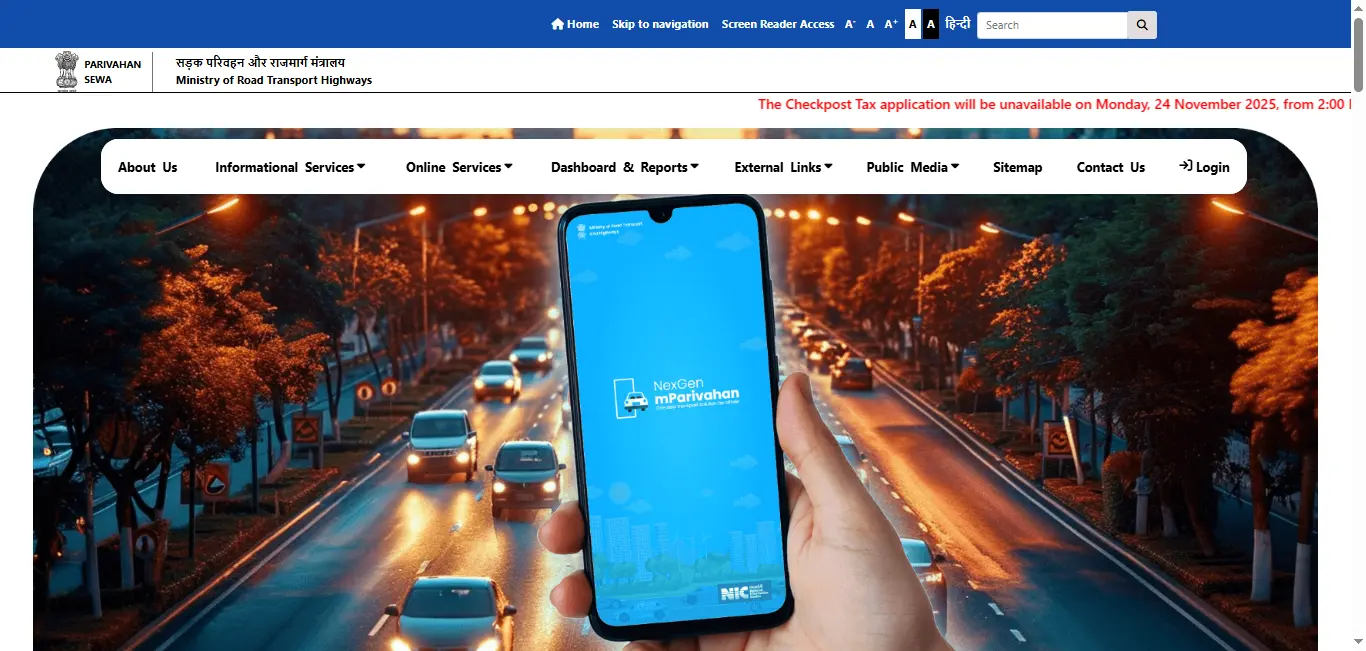
- Step 2: Navigate to the "Online Services" section and select "Driving License Related Services".
- Step 3: Select Kerala from the list of states.
- Step 4: Enter your driving licence number or date of birth to retrieve your Kerala driving licence details.
- Step 5: After verifying your details, you can click the "Download PDF" option to save your Kerala DL.
2. Download Kerala Driving Licence via mParivahan App
Another convenient method is through the mParivahan app, available for both Android and iOS devices.
- Step 1: Download and install the mParivahan app from the Google Play Store or Apple App Store.
- Step 2: Choose Kerala as your state.
- Step 3: Enter your driving licence number or date of birth.
- Step 4: After entering the required information, you'll be able to download your Kerala driving licence directly in PDF format.
3. Download Kerala Driving Licence via Kerala MVD Portal
You can also download your Kerala DL directly from the official Kerala MVD website.
Visit the Kerala MVD official portal and follow the instructions for driving licence download.
How to Renew Your Kerala Driving Licence Online
Kerala residents can renew their driving licences online through the Parivahan Sewa portal or Kerala MVD website.
Steps to Renew Driving Licence Online:
- Step 1: Go to the Parivahan Sewa portal or Kerala MVD website.
- Step 2: Choose the Renew Driving Licence option and enter the required details.
- Step 3: Upload your expired driving licence and necessary documents.
- Step 4: Pay the renewal fee online.
- Step 5: After completing the process, your renewed Kerala driving licence will be delivered to your address.
For those renewing via Parivahan Sewa, simply choose Kerala as your state and follow the on-screen instructions.
How to Apply for a New Driving Licence in Kerala
If you're applying for a new driving licence in Kerala, you can do so easily through Parivahan Sewa and Kerala MVD.
Documents Required for a New Licence in Kerala:
- Aadhaar card or other identity proof
- Address proof (e.g., utility bill, bank statement)
- Passport-sized photographs
- Age proof (e.g., birth certificate, passport)
Application Process:
- Visit the Parivahan Sewa website or the Kerala MVD portal.
- Complete the driving licence application form.
- Submit your documents and pay the application fee.
- Schedule and complete your driving test at your nearest RTO.
- Once you pass the test, you can download your Kerala permanent driving licence.
Know the complete process of apply for permanent driving licence and heavy driving licence
How to Check Kerala Driving Licence Status
To check the status of your Kerala driving licence application, visit the Parivahan Sewa or Kerala MVD portal.
Enter your application number or driving licence number to check your application status.
You can also use the mParivahan app to get updates on your driving licence status.
Additional Services for Kerala Driving Licence
The Kerala MVD and Parivahan Sewa offer various services to manage your driving licence needs, including:
- Driving Licence Renewal
- Duplicate Driving Licence Application
- Address Update on Driving Licence
- Learner's Licence Application
- Fitness Certificate for HMV
- International Driving Permit (IDP)
- Commercial Driving Licence Application
- RC (Registration Certificate) Services
- Traffic Offense Online Payment
Conclusion
Managing your driving licence in Kerala is simple with online services offered by Parivahan Sewa and Kerala MVD. Whether you are looking to download your driving licence, renew it, or apply for a duplicate licence, these portals make it easier to handle your driving licence needs quickly and securely. Take advantage of these online tools for all your driving licence-related services in Kerala.
Driving Licence Download By States
Frequently Asked Questions
1.How do I download my Kerala driving licence online?
You can download your Kerala driving licence via the Parivahan Sewa portal or Kerala MVD website. Enter your driving licence number or date of birth to download the PDF version of your Kerala DL.
2.Can I renew my driving licence online in Kerala?
Yes, you can renew your Kerala driving licence online through Parivahan Sewa or Kerala MVD by uploading necessary documents and paying the renewal fee.
3.How do I apply for a new driving licence in Kerala?
To apply for a new driving licence in Kerala, visit the Parivahan Sewa or Kerala MVD portal, submit the application form with required documents, and schedule your driving test.
4.How can I check my Kerala driving licence application status?
You can check the status of your Kerala DL application by visiting the Parivahan Sewa website or Kerala MVD portal and entering your application number or driving licence number.
5.What should I do if my Kerala driving licence is lost or damaged?
If your Kerala driving licence is lost or damaged, you can apply for a duplicate driving licence online through Parivahan Sewa or Kerala MVD.