Rajasthan Driving Licence Download
In Rajasthan, accessing and managing your driving licence is now easier than ever, thanks to the online services offered by the Rajasthan Transport Department and Parivahan Sewa. Whether you need to download your driving licence, apply for a new one, renew your existing licence, or check its status, this guide will walk you through the entire process, ensuring that you have all the information you need to get your driving licence in Rajasthan.
How to Download Driving Licence in Rajasthan
Downloading your Rajasthan driving licence online is a quick and convenient process. Whether you've lost your original copy or need an additional copy, you can easily download it in just a few steps.
Steps to Download Your Driving Licence:
- Visit the Official Website: Go to the Parivahan Sewa portal: Parivahan.gov.in or the official RTO Rajasthan website.
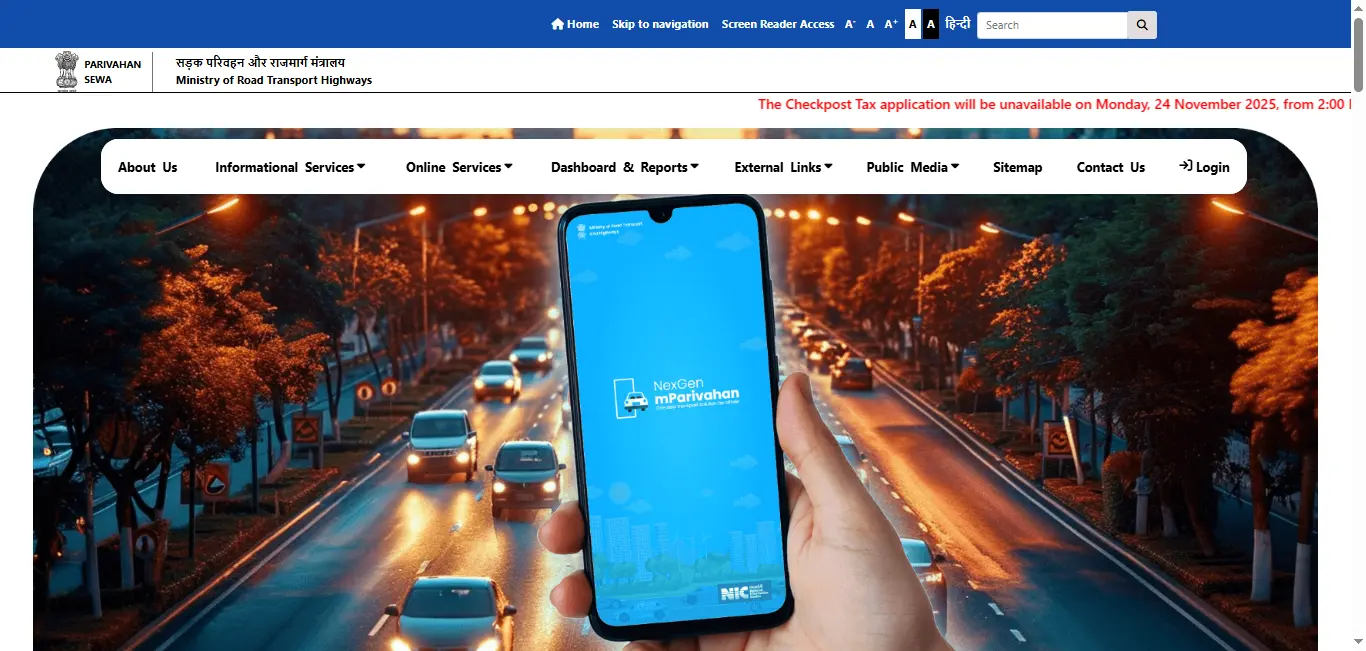
- Select the 'Driving Licence Download' Option: On the homepage, find the "Driving Licence" section and click on the "Download" link.
- Enter Your Details: To download the licence, you will be required to enter your Driving Licence Number or Date of Birth. You can also use your Application Number if you're in the process of applying for a new licence.
- Download the PDF: After entering your details, the system will verify your information and allow you to download your driving licence as a PDF document. This can be saved on your device and printed if necessary.
Driving Licence Download By States
Why Download Your Driving Licence?
- Legal Validity: A downloaded or digital version of your driving licence is legally recognized, especially for online verifications, traffic checks, or as proof of identity.
- Convenience: Access it anytime, anywhere, from your smartphone or computer.
- Time-Saving: You no longer have to wait for a physical copy, as the digital copy serves the same purpose.
How to Apply for a New Driving Licence in Rajasthan
Applying for a new driving licence in Rajasthan involves several straightforward steps. Whether you're applying for a learner's permit or a permanent driving licence, the process is similar but requires completing some additional tests or requirements.
Steps to Apply for a New Driving Licence:
- Visit the RTO Rajasthan Website: Head to the official RTO Rajasthan website or the Parivahan Sewa portal.
- Complete the Application Form: Fill out the Driving Licence Application Form online. You'll need to provide details such as your name, address, age, and other personal information.
- Submit the Required Documents: Ensure you upload the necessary documents for verification:
- Aadhaar Card (for identity)
- Proof of Address (such as utility bills, bank statement, or rental agreement)
- Age Proof (such as a birth certificate or passport)
- Passport-sized Photographs
- Medical Certificate (for Heavy Motor Vehicle or Commercial licences)
- Learning Licence (if applying for a permanent licence)
- Schedule Your Driving Test: After submitting the application, you'll be asked to schedule your driving test. Make sure to select a convenient date.
- Attend the Driving Test: Appear for the driving test at the designated RTO office. If you pass, you will be issued a Permanent Driving Licence.
- Receive Your Driving Licence: After passing the driving test, your driving licence will be processed. You can either receive a physical copy by post or download it online once it's ready.
Important Tips for New Applicants:
- Preparation for Driving Test: It's important to practice driving as per the traffic rules and regulations.
- Learner's Licence: If you are a first-time applicant, you'll need to obtain a Learner's Licence first, which is valid for six months.
Required Documents for Driving Licence in Rajasthan
To apply for a driving licence in Rajasthan, you will need to have the following documents:
- Aadhaar Card (for identity verification)
- Address Proof (e.g., utility bills, voter ID, or rental agreement)
- Age Proof (e.g., birth certificate, school leaving certificate)
- Passport-sized Photographs (usually two)
- Medical Certificate (for HMV or commercial licences)
- Learner's Licence (if applying for a permanent licence)
Make sure all documents are legible and updated to avoid any delays in the application process.
How to Renew Your Driving Licence in Rajasthan
If your driving licence is about to expire or has already expired, you can easily renew it online through the RTO Rajasthan portal. Here's how:
Steps to Renew Your Driving Licence:
- Visit the RTO Website: Go to the official RTO Rajasthan or Parivahan Sewa website.
- Select the 'Driving Licence Renewal' Option: Find and click on the "Driving Licence Renewal" option.
- Fill Out the Renewal Form: Provide your driving licence number, Aadhaar number, and other details to begin the renewal process.
- Upload the Required Documents: Submit the necessary documents like your Aadhaar Card, age proof, and address proof. If required, you may also need to upload a recent photograph.
- Pay the Renewal Fee: The website will display the renewal fee. Complete the payment process through secure online payment methods.
- Download Your Renewed Licence: Once the payment is processed, you will receive an updated digital copy of your Rajasthan driving licence. The physical copy will be mailed to you.
How to Check Driving Licence Status in Rajasthan
If you've applied for a driving licence in Rajasthan or are waiting for your licence to arrive, you can easily check the status online.
Steps to Check Licence Status:
- Visit the Official RTO Website: Go to the Parivahan Sewa portal or the RTO Rajasthan website.
- Click on 'Driving Licence Status': Find the "Driving Licence Status" option and click on it.
- Enter Your Details: Provide your application number or driving licence number and click on 'Submit'.
- View the Status: The portal will display the current status of your application (whether it is approved, in process, or rejected).
Apply for Duplicate Driving Licence in Rajasthan
If you've lost your driving licence or it's damaged, you can apply for a duplicate licence online.
Steps to Apply for Duplicate Driving Licence:
- Visit the RTO Website: Go to the RTO Rajasthan or Parivahan Sewa portal.
- Select 'Duplicate Driving Licence': Click on the 'Duplicate Driving Licence' option.
- Fill Out the Application Form: Provide your driving licence number, personal details, and reason for requesting the duplicate licence.
- Upload Documents: Upload the required documents, including Aadhaar card and a police report (if the licence was stolen).
- Pay the Fee: Complete the payment for the duplicate driving licence.
- Download Your Duplicate Licence: After approval, you can download your duplicate driving licence online.
Conclusion
Getting your driving licence in Rajasthan is now more convenient than ever, thanks to the robust online services available. Whether you're applying for a new licence, renewing an existing one, or downloading your driving licence, this guide has provided all the information you need to complete these tasks with ease. For any additional queries, feel free to visit the official portals or reach out to the customer support team.
Frequently Asked Questions
1.Can I renew my driving licence online in Rajasthan?
Yes, you can renew your driving licence online in Rajasthan by visiting the Parivahan Sewa or RTO Rajasthan website.
2.How can I check my driving licence status in Rajasthan?
You can check your driving licence status by visiting the Parivahan Sewa portal and entering your application number or driving licence number.
3.What documents are required to apply for a new driving licence in Rajasthan?
Required documents include Aadhaar card, address proof, age proof, passport-sized photos, and medical certificate (for commercial licences).
4.How can I download my driving licence in Rajasthan?
Visit the official Parivahan Sewa or RTO Rajasthan website, enter your details, and download your driving licence in PDF format.
5.Can I apply for a commercial driving licence in Rajasthan online?
Yes, you can apply for a commercial driving licence through the official RTO Rajasthan or Parivahan Sewa portal by submitting the necessary documents and booking a driving test.