Download Driving Licence West Bengal
If you're a resident of West Bengal and need assistance with downloading your driving licence , applying for a new one, renewing it, or checking its status, this guide will help you through every step of the process. With detailed instructions and easy-to-follow steps, you'll find everything you need to manage your West Bengal driving licence online.
How to Download Your West Bengal Driving Licence
Downloading your West Bengal driving licence online is a quick and straightforward process. You can obtain a digital copy through the official portals provided by the West Bengal Transport Department or Parivahan Sewa.
- Step 1: Visit the Official Parivahan Portal
To start the process, visit the official website:- Parivahan Sewa Portal: Parivahan.gov.in
- West Bengal Transport Department: WB Transport Department
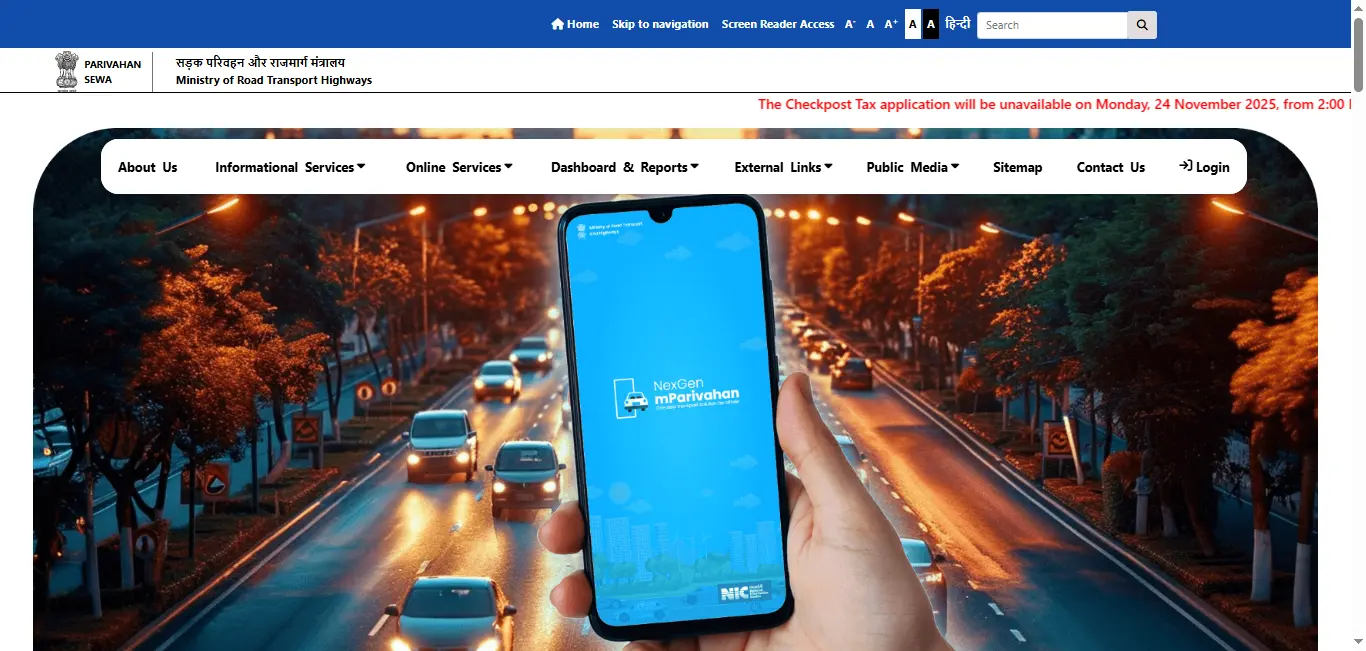
- Step 2: Navigate to the Driving Licence Section
Once you're on the homepage of the website, look for the "Driving Licence" or "Online Services" section. Select the option to download your driving licence. - Step 3: Enter the Required Details
To download your driving licence from West Bengal, you'll need to provide:- Driving licence number
- Date of birth
- Step 4: Download the PDF
Once the system verifies your information, a PDF version of your driving licence will be available for download. You can either save this file on your device or print it. - Step 5: Save or Print Your Driving Licence
Once downloaded, you can either save it for future reference or print it. However, note that this online version is not a legally valid document until you receive the physical copy.
Driving Licence Download By States
How to Apply for a Driving Licence in West Bengal
To apply for a new driving licence in West Bengal , you can follow these simple steps:
- Step 1: Visit the Official Portal
Go to the West Bengal Transport Department or Parivahan Sewa Portal and find the "Apply for Driving Licence" option. - Step 2: Fill Out the Application Form
Complete the application form with the following details:- Personal information (Name, Address, etc.)
- Type of vehicle (Two-wheeler or Four-wheeler)
- Step 3: Upload Required Documents
You will need to upload the following documents:- Aadhaar Card (Identity Proof)
- Passport-sized photograph
- Proof of age (Birth certificate, school certificate)
- Proof of address (Utility bill, rental agreement)
- Step 4: Pay the Application Fee
The fee for applying for a driving licence in West Bengal can be paid online using various payment options such as credit/debit cards or net banking. - Step 5: Schedule the Driving Test
If you're applying for a permanent driving licence, schedule a date for your driving test through the portal. - Step 6: Take the Driving Test
On the day of the driving test, go to the nearest RTO (Regional Transport Office) and take the test. - Step 7: Receive Your Driving Licence
Once you pass the test, your driving licence will be processed. You can either download your driving licence PDF from the portal or wait for the physical card to be delivered to your address.
How to Check Your Driving Licence Status in West Bengal
You can easily check the status of your driving licence application or renewal online in West Bengal.
- Step 1: Visit the Status Check Section
Visit the West Bengal Transport Department or Parivahan Sewa Portal and find the "Driving Licence Status" section. - Step 2: Enter the Required Details
You'll need to enter:- Driving licence number or
- Application number
- Step 3: Check the Status
Once you enter your details, the portal will show the current status of your application (e.g., pending, approved, dispatched).
How to Renew Your Driving Licence in West Bengal
Renewing your driving licence in West Bengal is also a simple process, which can be done online.
- Step 1: Visit the Renewal Section
Go to the "Driving Licence Renewal" section on the West Bengal Transport Department or Parivahan Sewa Sewa Portal. - Step 2: Enter Your Licence Details
Enter your driving licence number and other necessary details to initiate the renewal process. - Step 3: Upload Required Documents
You may need to upload:- Medical certificate (for those above a certain age or with medical conditions)
- Step 4: Pay the Renewal Fee
You can pay the renewal fee online using a credit/debit card or net banking. - Step 5: Download the Renewed Licence
Once your licence is renewed, you can download the updated driving licence PDF or wait for the physical copy.
How to Apply for a Duplicate Driving Licence in West Bengal
If your driving licence in West Bengal is lost or damaged, you can apply for a duplicate.
- Visit the Duplicate Licence Section on the portal.
- Provide your driving licence number and other necessary details.
- Upload the FIR (in case the licence is lost or stolen).
- Pay the required fee.
- Download your duplicate driving licence once it's processed.
Driving Licence Fees in West Bengal
The fee for obtaining, renewing, or applying for a driving licence in West Bengal varies based on the type of service:
- New Licence Application: ₹200 - ₹500
- Renewal Fees: ₹200 - ₹500
- Duplicate Licence Fees: ₹200 - ₹500
For more detailed fee information, you can check the official West Bengal Transport Department website or Parivahan Sewa Portal.
Frequently Asked Questions
1.How can I download my driving licence in West Bengal?
You can download your driving licence in West Bengal from the official West Bengal Transport Department or Parivahan Sewa Portal. You'll need to enter your driving licence number or application number to download the PDF.
2.How do I apply for a driving licence in West Bengal?
To apply for a driving licence in West Bengal, visit the official website, fill out the application form, upload the required documents, pay the application fee, and schedule the driving test.
3.How can I check my driving licence status in West Bengal?
To check the status of your driving licence application, visit the official portal, enter your application number or driving licence number, and view the status.
4.How do I renew my driving licence in West Bengal?
To renew your driving licence in West Bengal, visit the official portal, enter your details, upload the required documents, and pay the renewal fee.
5.How do I get a duplicate driving licence in West Bengal?
If your driving licence is lost or damaged, you can apply for a duplicate online by submitting the required documents and paying the applicable fee.