AP Driving Licence Download - Parivahan Sewa
In today's digital age, obtaining and managing government services online is faster and more convenient than ever. If you're a resident of Andhra Pradesh (AP), you can easily download your driving licence (DL) online, check the status of your application, renew your licence, or apply for a duplicate. Whether you're looking to get a learner's licence, renew your existing DL, or update your address, this guide will walk you through all the processes, providing easy-to-follow steps and additional tips.
What is a Driving Licence in Andhra Pradesh?
A driving licence is an official document issued by the Motor Vehicles Department (MVD) of Andhra Pradesh (AP) that permits individuals to operate motor vehicles on public roads. The process to obtain a driving licence in AP has been streamlined, and now most services can be accessed through online platforms like Parivahan Sewa and the mParivahan app.
Whether you need to download a copy of your driving licence, check your application status, or renew your licence, these services are now at your fingertips. Let's dive deeper into the steps and processes involved.
Why You Should Download Your AP Driving Licence
There are several reasons why you might want to download your AP driving licence online:
- Convenience: Having a digital copy of your driving licence makes it easy to access whenever needed, without carrying a physical copy.
- Verification: You may need a copy of your licence for various official purposes, like applying for loans, insurance, or other services.
- Lost Licence: If you've misplaced your physical driving licence, a downloaded version can serve as a backup.
- Emergency Use: You may need to show your driving licence in an emergency, and a digital version can be accessed on your phone instantly.
Step-by-Step Process to Download Your AP Driving Licence
Downloading your driving licence in Andhra Pradesh is easy, thanks to digital services provided by the Parivahan Sewa portal and mParivahan app.
1. Download Your AP Driving Licence from the Parivahan Sewa Website
- Step 1: Visit the Parivahan Sewa Website Go to the official Parivahan Sewa website: https://parivahan.gov.in.
- Step 2: Navigate to the DL Services Click on the "Online Services" tab in the top menu and select "Driving License Related Services" from the dropdown.
- Step 3: Select Andhra Pradesh as Your State On the next page, choose Andhra Pradesh from the list of states.
- Step 4: Enter Your Details You will be prompted to enter either your Driving Licence Number or Date of Birth. After entering the details, click on the Submit button.
- Step 5: Download Your DL in PDF Format Once the details are verified, your driving licence information will appear on the screen. You will then have the option to download your DL in PDF format. Simply click on the download link to save the file on your device.
2. Download Your AP Driving Licence via the mParivahan App
If you prefer using a mobile app, the mParivahan app is available for both Android and iOS devices. This app allows you to access your driving licence details quickly and conveniently.
- Step 1: Install the mParivahan App Download and install the mParivahan app from the Google Play Store or Apple App Store.
- Step 2: Select Andhra Pradesh as Your State Open the app, select Andhra Pradesh as your state, and proceed.
- Step 3: Enter Your Licence Information You will need to input your Driving Licence Number or Date of Birth.
- Step 4: Download the DL Once your details are verified, your AP driving licence will appear on the app, and you can download the PDF version of your licence.
Additional Online Services for Your AP Driving Licence
1. How to Apply for a New Driving Licence in Andhra Pradesh
If you do not yet have a driving licence and wish to apply for one, the process is straightforward. You can apply for your learner's licence (LL) or a permanent driving licence (DL) online.
Eligibility Criteria:
- You must be at least 18 years old to apply for a private vehicle licence (LMV).
- You must have held a learner's licence for a minimum of 30 days before applying for the permanent DL.
Required Documents:
- Aadhaar Card or other photo identity proof.
- Address Proof (e.g., electricity bill, water bill, or rental agreement).
- Passport-sized photographs.
- Age Proof (e.g., birth certificate, passport).
Application Process:
- Visit the Parivahan Portal: Go to the Parivahan Sewa portal and fill out the Driving Licence Application Form.
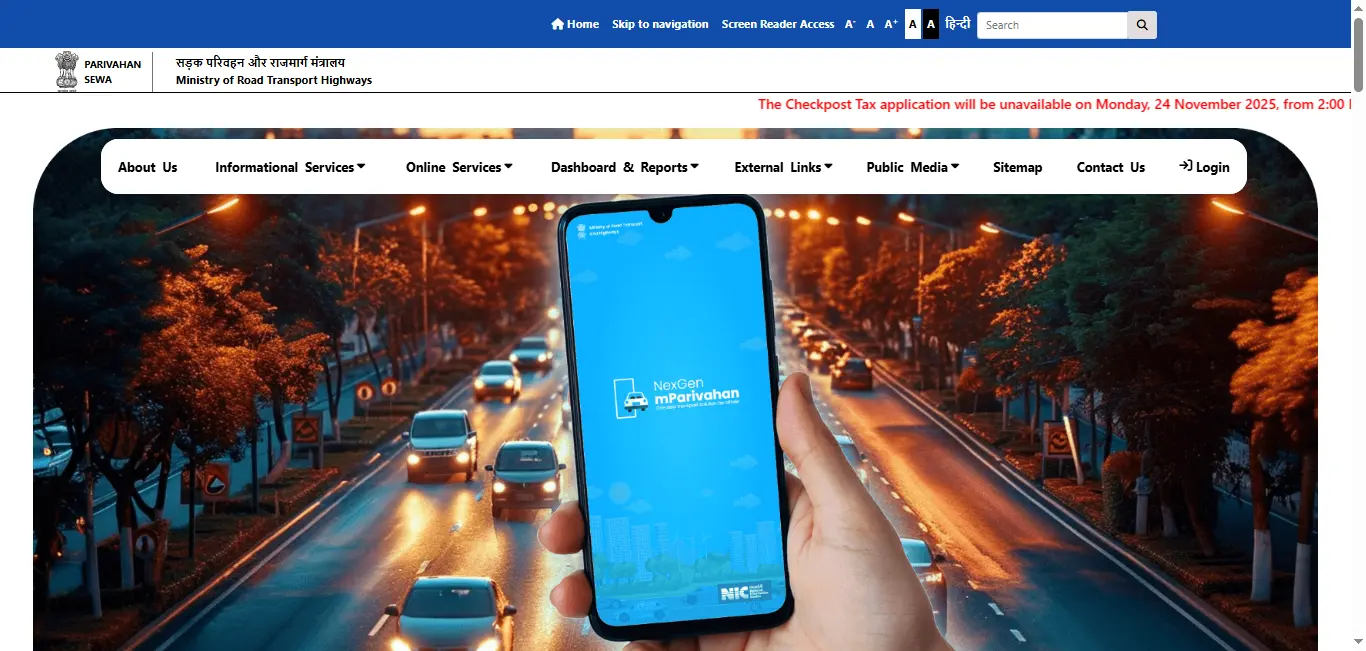
- Submit Documents: Upload the necessary documents and pay the required application fee.
- Schedule the Driving Test: Once your application is complete, you will be asked to schedule your driving test at the local RTO.
- Pass the Test: After passing the test, your driving licence will be issued, and you can download it via the portal.
2. Check Your AP Driving Licence Status
If you've applied for a driving licence and want to track the status, you can do so easily through theParivahan Sewa portal or the mParivahan app app.
- Visit the Parivahan Website: On the portal, select "Driving License Application Status" and enter your application number and date of birth to view your status.
- mParivahan App: You can also check your status using the mParivahan app by selecting the appropriate service.
3. Renew Your Driving Licence in Andhra Pradesh
In AP, driving licences are typically valid for 20 years for individuals below the age of 50, and for 5 years for senior citizens above the age of 50. To renew your driving licence , follow these steps:
- Visit the Parivahan Sewa Portal: Navigate to the Online Services section.
- Select Renewal: Choose the option for "Driving Licence Renewal" and enter your details.
- Upload Documents: Upload the necessary documents, including your expired DL.
- Pay the Fees: Pay the renewal fees online.
- Receive the Renewal: Your renewed driving licence will be mailed to your address.
4. Change Address on Your Driving Licence
If you've moved to a new address, you can easily update the address on your driving licence through the Parivahan portal.
- Go to the Parivahan portal and select the "Change of Address" option.
- Enter the required details and upload your proof of address (e.g., utility bill, bank statement).
- Pay the nominal fee and submit your request.
- Once processed, your updated driving licence will be sent to the new address.
5. Apply for a Duplicate Driving Licence
If you lose your driving licence, you canapply for a duplicate driving licence online.
- Report Loss: It's advisable to report the loss of your DL to the local police station.
- Submit Application: On the Parivahan portal, select Duplicate DL and fill in the application form.
- Submit Documents: Upload a copy of your FIR (if applicable), your Aadhaar Card, and other required documents.
- Pay Fees: Complete the payment and wait for the duplicate DL to be delivered to your address.
Driving Licence Download By States
Conclusion
Downloading, renewing, or applying for a driving licence in Andhra Pradesh has become simpler and more convenient through online platforms like Parivahan Sewa and mParivahan. With just a few clicks, you can access important services such as downloading your DL, checking your application status, updating your address, or applying for a duplicate.
By using these digital services, you can save time and effort while managing your driving licence needs from the comfort of your home. Make sure to take advantage of these tools to streamline your experience with the Andhra Pradesh Transport Department.
Frequently Asked Questions
1.How can I download my driving licence in Andhra Pradesh?
You can download your driving licence from the Parivahan Sewa website or the mParivahan app by entering your Driving Licence Number or Date of Birth.
2.Can I renew my driving licence online in AP?
Yes, you can renew your driving licence online in Andhra Pradesh through the Parivahan Sewa portal by submitting your details, documents, and paying the fee.
3.What documents are required to apply for a new driving licence in AP?
To apply for a new driving licence in Andhra Pradesh, you will need: Aadhaar card or other ID proof, Proof of address (e.g., utility bill), Passport-sized photographs, and Age proof (e.g., birth certificate).
4.Can I check the status of my driving licence application online?
Yes, you can check the status of your driving licence application on the Parivahan Sewa portal or through the mParivahan app.
5.What if I lose my driving licence?
If you lose your driving licence, you can apply for a duplicate licence online through the Parivahan Sewa portal by submitting your details and uploading necessary documents.