Download Haryana Driving Licence
If you're looking to download your Haryana driving licence or need to access information regarding the status, fees, and renewal process, you've come to the right place. This page provides all the details on how to download your Haryana driving licence, check its status, and renew it online. Let's dive into the step-by-step guide and explore how you can manage your Haryana driving licence with ease.
What is a Haryana Driving Licence?
A Haryana driving licence is an official document issued by the Transport Department of Haryana that grants permission to individuals to drive motor vehicles such as cars, motorcycles, or heavy vehicles on public roads. You can apply for, renew, and download your driving licence through the Haryana Transport Department's online portal or the Parivahan Sewa platform.
Driving Licence Download By States
How to Download Haryana Driving Licence?
1. Download Haryana Driving Licence Online from Parivahan
To download your Haryana driving licence online, follow these steps:
- Visit the official Parivahan Sewa website.
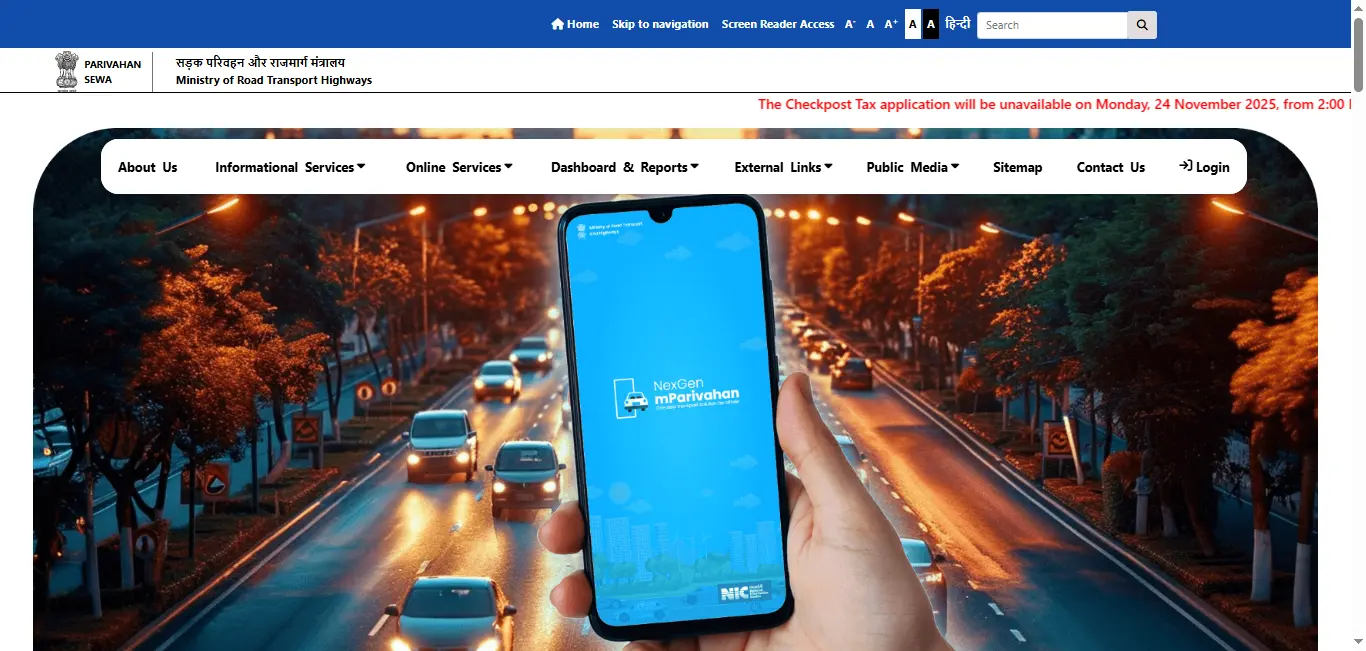
- Navigate to the "Driving Licence Services" section.
- Select "Haryana" as your state.
- Enter your Driving Licence Number or Date of Birth.
- Click "Submit" to verify your details.
- Once verified, click the "Download PDF" option to save a digital copy of your Haryana driving licence.
2. Download Haryana Driving Licence from mParivahan App
The mParivahan app allows you to download your Haryana driving licence directly on your mobile phone. Simply:
The mParivahan app allows you to download your Haryana driving licence directly on your mobile phone. Simply:
- Install the mParivahan app from Google Play Store or Apple App Store.
- Select Haryana as your state and enter your driving licence details.
- Download your driving licence PDF instantly.
3. Download Haryana Driving Licence from the Haryana MVD Website
Visit the official Haryana MVD website and follow the steps to access and download your Haryana driving licence.
Why Download Your Haryana Driving Licence Online?
There are multiple benefits to downloading your Haryana driving licence online:
- Convenience: Access your licence anytime, anywhere, directly from your mobile or computer.
- Temporary Backup: If your physical licence is lost or damaged, the downloaded PDF can serve as a temporary backup.
- Official Purposes: Use the digital copy for official tasks such as vehicle insurance, bank loan applications, or traffic checks.
How to Check Your Haryana Driving Licence Status?
If you've applied for a driving licence in Haryana, you can easily check its status online:
- Visit the Parivahan Sewa or Haryana MVD portal.
- Navigate to "Driving Licence Application Status."
- Enter your application number or driving licence number.
- Click "Submit" to view the status of your application.
Haryana Driving Licence Renewal
How to Renew Your Driving Licence Online in Haryana?
To renew your driving licence in Haryana, you can follow the online process:
- Visit the Parivahan Sewa portal or the Haryana MVD website.
- Select the "Renewal of Driving Licence" service.
- Enter your driving licence details and upload the necessary documents.
- Pay the required renewal fee.
- After the renewal process, your new driving licence will be delivered to your address.
Driving Licence Renewal Fees in Haryana
The renewal fees for a Haryana driving licence may vary based on the type of vehicle and licence. You can check the specific fees for light motor vehicles (LMV) or heavy motor vehicles (HMV) on the official Haryana Transport Department website.
Duplicate Haryana Driving Licence
In case your Haryana driving licence is lost, damaged, or destroyed, you can apply for a duplicate driving licence through the following process:
- Visit the Parivahan Sewa website or Haryana MVD portal.
- Choose the option for "Duplicate Driving Licence."
- Fill out the application form and submit the required documents, including an FIR if necessary.
- Pay the duplicate licence fee.
- Your new duplicate licence will be sent to your address.
How to Apply for a New Haryana Driving Licence
To apply for a new driving licence in Haryana, follow these steps:
- Visit the Haryana MVD or Parivahan Sewa portal.
- Select "Apply for New Driving Licence" and fill out the application form.
- Upload the required documents such as age proof, address proof, and identity proof.
- Schedule your driving test with your local RTO.
- After passing the test, your permanent driving licence will be issued, and you can download it online.
Know everything about how to apply for learning driving licence
Driving Licence Fees in Haryana
The fees for a driving licence in Haryana depend on various factors such as the type of licence (learner's, permanent, commercial) and the vehicle type (LMV, HMV). The fees also vary if you're applying for a duplicate or renewing your licence.
You can check the latest driving licence fees for Haryana online through the Parivahan Sewa or Haryana MVD portals.
Haryana Driving Licence Application Status
You can easily check the application status of your Haryana driving licence by following these steps:
- Visit the Parivahan Sewa or Haryana MVD website.
- Enter your application number or DL number.
- Check your driving licence application status instantly.
Conclusion
Downloading your Haryana driving licence, checking its status, renewing it, or applying for a duplicate is simple with the Haryana Transport Department's online services. By following the above steps, you can manage your driving licence efficiently from the comfort of your home.
For any further assistance regarding Haryana driving licence download, online renewal, or related services, visit the official Parivahan Sewa or Haryana MVD websites.
Frequently Asked Questions
1.How do I download my Haryana driving licence online?
Visit the Parivahan Sewa portal or the Haryana MVD website, enter your details (DL number or DOB), and download your Haryana driving licence in PDF format.
2.Can I renew my driving licence online in Haryana?
Yes, you can renew your Haryana driving licence online through the Parivahan Sewa or Haryana MVD portals by submitting required documents and paying the renewal fee.
3.How do I check my Haryana driving licence status?
You can check your driving licence status online by visiting the Parivahan Sewa website or Haryana MVD portal and entering your application number or DL number.
4.How to apply for a new driving licence in Haryana?
To apply for a new driving licence in Haryana, visit the Parivahan Sewa or Haryana MVD portal, fill out the application, upload necessary documents, and schedule your driving test.
5.How do I get a duplicate driving licence in Haryana?
To get a duplicate driving licence in Haryana, visit the Parivahan Sewa portal or Haryana MVD website, fill out the duplicate licence application, submit necessary documents, and pay the fee.